mirror of
https://github.com/ksyasuda/SubMiner.git
synced 2026-05-01 04:19:26 -07:00
 sudacode
23b88bf20e
sudacode
23b88bf20e
Move IPC, shortcuts, startup lifecycle, and app-ready assembly behind dedicated runtime composers so main.ts stays focused on boot wiring while preserving behavior and test coverage.

SubMiner
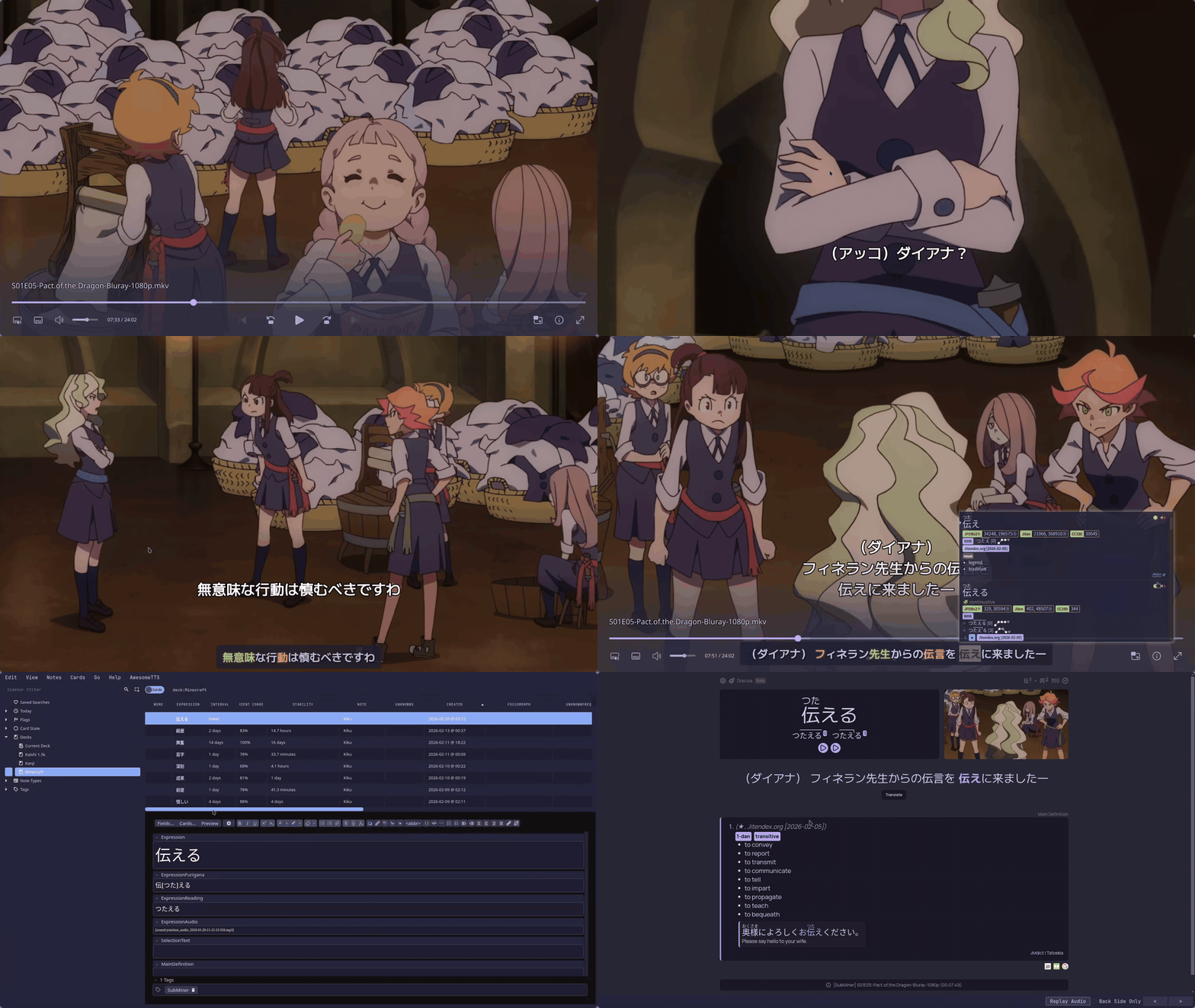
Look up words, mine to Anki, and enrich cards with context — without leaving mpv.


What it does
SubMiner is an Electron overlay that sits on top of mpv. It turns your video player into a full sentence-mining workstation:
- Hover to look up — Yomitan dictionary popups directly on subtitles
- One-key mining — Creates Anki cards with sentence, audio, screenshot, and translation
- N+1 highlighting — Marks known words from your Anki deck so unknown ones jump out
- Subtitle tools — Download from Jimaku, sync with alass/ffsubsync, all in-player
- Immersion tracking — SQLite-powered stats on your watch time and mining activity
- Texthooker page built in — WebSocket streaming to external tools, no extra setup
Quick start
1. Install
Linux (AppImage):
wget https://github.com/ksyasuda/SubMiner/releases/latest/download/SubMiner-0.1.0.AppImage -O ~/.local/bin/SubMiner.AppImage
chmod +x ~/.local/bin/SubMiner.AppImage
wget https://github.com/ksyasuda/SubMiner/releases/latest/download/subminer -O ~/.local/bin/subminer
chmod +x ~/.local/bin/subminer
Note
The
subminerwrapper uses a Bun shebang. Make surebunis on yourPATH.
From source or macOS — see the installation guide.
2. Install the mpv plugin and configuration file
wget https://github.com/ksyasuda/SubMiner/releases/latest/download/subminer-assets-0.1.0.tar.gz -O /tmp/subminer-assets.tar.gz
tar -xzf /tmp/subminer-assets.tar.gz -C /tmp
cp /tmp/plugin/subminer.lua ~/.config/mpv/scripts/
cp /tmp/plugin/subminer.conf ~/.config/mpv/script-opts/
mkdir -p ~/.config/SubMiner && cp /tmp/config.example.jsonc ~/.config/SubMiner/config.jsonc
3. Set up Yomitan Dictionaries
subminer app --start --yomitan
4. Mine
subminer app --start --background
subminer video.mkv
Requirements
| Required | Optional |
|---|---|
mpv with IPC socket |
yt-dlp |
mecab + mecab-ipadic |
fzf / rofi |
Linux: hyprctl or xdotool + xwininfo |
chafa, ffmpegthumbnailer |
| macOS: Accessibility permission |
Documentation
For full guides on configuration, Anki, Jellyfin, and more, see docs.subminer.moe.
Acknowledgments
Built on the shoulders of GameSentenceMiner, mpvacious, Anacreon-Script, and autosubsync-mpv. Subtitles powered by Jimaku.cc. Dictionary lookups via Yomitan.