
7.5 KiB
📒 Markdown template | |
|---|---|
| A template capable of rendering markdown from a given template file. | |
| Supported features → Full specification |
📰 ✒️ 🗼 📌 🐤 ✓ embed() |
👤 Users 👥 Organizations |
|
#️⃣ JSON 🔠 Markdown 🔠 Markdown (PDF) |
|

|
|
This template can be used to a markdown template file with data gathered by metrics.
Since the resulting output is a markdown file, it is possible to do additional formatting such as creating hyperlinks and adding custom texts.
🈂️ Templating syntax:
The templating engine is EJS and can be used to interpolate any data retrieved by metrics.
<%=and%>are used to display escaped output{{and}}is also supported as syntaxic sugar
<%-and%>are used to display raw output<%and%>are used to execute JavaScript, and can also contains control statements such as conditionals and loops
Example: basic templating
<!-- template -->
I joined GitHub on `{{ f.date(REGISTRATION_DATE, {date:true}) }}`.
I contributed to `{{ REPOSITORIES_CONTRIBUTED_TO }}` repositories and made `{{ COMMITS }}` commits.

<!-- render -->
I joined GitHub on `20 Oct 2016`.
I contributed to `37` repositories and made `5947` commits.
🔣 Available data
Any data fetched by metrics and exposed formatting helpers can be used.
It also means that to access plugins data they must be enabled and configured beforehand.
Example: enabling plugin_activity exposes plugins.activity data
- uses: lowlighter/metrics@latest
  with:
    template: markdown
    plugin_activity: yes
💡 To avoid failures while accessing data, use optional chaining operator
?.or ensure that no errors where reported by a given plugin.
⚠️ Although rare, data schemas may change in-between metrics version without any notice (these changes are not documented in release notes). It is advised to use a pinned version or a fork when using this template.
A few properties are aliased in /source/templates/markdown/template.mjs for convenience.
Use config_output: json to dump all available data for a given configuration. Power users can also directly read metrics source code to know what is exposed.
For a quick overview, it is also possible to use metrics.lecoq.io/{username}?config.output=json.
💡 Note however that metrics.lecoq.io has a caching system which may prevent any new result.
🧩 Plugins with markdown version
Several plugins have a markdown version which provides better usability, usually with hyperlinks and better text formatting.
Example: using ✒️ posts plugin markdown version
<%- await include(`partials/posts.ejs`) %>
|
Metrics v3.0, the ultimate tool to pimp your GitHub profile! |
|---|---|
|
Metrics is an extensive SVG images generator plugged with various APIs (GitHub, Twitter, Spotify, ......
Published on 4 Jan 2021 |
💡 Remember, plugins still need to be enabled and configured in workflow file!
🎈 Embedding SVG metrics on-the-fly
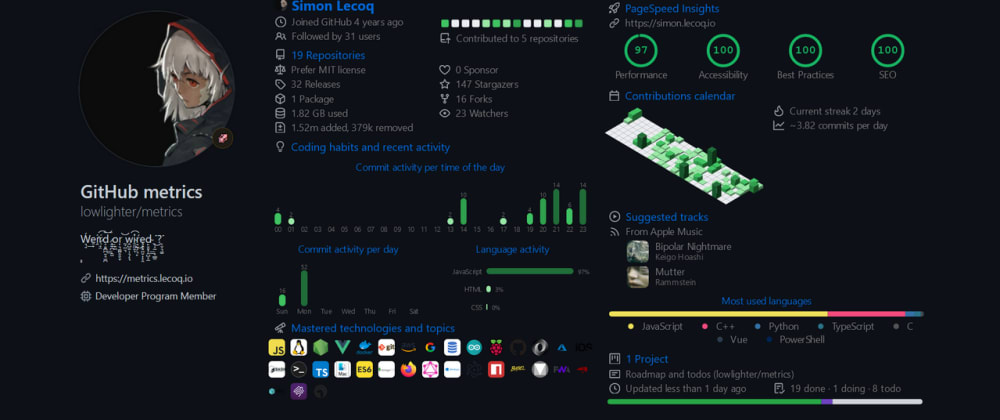
An additional feature which makes the markdown template more powerful than its counterparts is that it can also render SVG on the fly using embed() function, without creating any additional jobs.
These renders will automatically be pushed to markdown_cache folder and included in the markdown render.
- uses: lowlighter/metrics@latest
  with:
    template: markdown
    markdown_cache: .cache
The embed() function takes two arguments:
- An unique file identifier (which will be used to store render in
${markdown_cache}/${file_identifier}) - Configuration options
- Note that
tokenoptions are automatically passed down from overall configuration, do not pass them again (especially in clear) in it
Example: embed a 🈷️ languages SVG render
<%- await embed(`example-languages-pdf`, {languages:true, languages_details:"percentage, bytes-size", config_display:"large"}) %>

💡 The
plugin_prefix can be dropped for convenience
💡 The
embed()function does not have🗃️ baseplugin enabled by default. To use it, it is required to explicitely pass them throughbaseoption.
ℹ️ Examples workflows
name: Example
uses: lowlighter/metrics@latest
with:
  template: markdown
  filename: metrics.markdown.md
  markdown: metrics.markdown.template.md
  config_output: markdown
  token: ${{ secrets.METRICS_TOKEN }}
name: Example with plugins configuration for embed use
uses: lowlighter/metrics@latest
with:
  template: markdown
  filename: metrics.markdown.full.md
  markdown: >-
    https://raw.githubusercontent.com/lowlighter/metrics/master/source/templates/markdown/example.md
  config_output: markdown
  plugin_activity: 'yes'
  plugin_activity_limit: 7
  plugin_activity_days: 0
  plugin_activity_filter: issue, pr, release, fork, review, ref/create
  plugin_posts: 'yes'
  plugin_posts_source: dev.to
  plugin_posts_descriptions: 'yes'
  plugin_posts_covers: 'yes'
  plugin_posts_limit: 2
  plugin_rss: 'yes'
  plugin_rss_source: https://news.ycombinator.com/rss
  plugin_rss_limit: 4
  plugin_tweets: 'yes'
  plugin_tweets_token: ${{ secrets.TWITTER_TOKEN }}
  plugin_tweets_user: github
  plugin_tweets_attachments: 'yes'
  plugin_tweets_limit: 2
  plugin_topics: 'yes'
  plugin_topics_limit: 24
  plugin_isocalendar: 'yes'
  plugin_languages: 'yes'
  token: ${{ secrets.METRICS_TOKEN }}
name: Example (pdf output)
uses: lowlighter/metrics@latest
with:
  template: markdown
  filename: metrics.markdown.pdf
  markdown: >-
    https://raw.githubusercontent.com/lowlighter/metrics/master/source/templates/markdown/example.pdf.md
  config_output: markdown-pdf
  plugin_rss: 'yes'
  plugin_rss_source: https://news.ycombinator.com/rss
  plugin_rss_limit: 4
  plugin_isocalendar: 'yes'
  config_twemoji: 'yes'
  config_padding: 5%
  token: ${{ secrets.METRICS_TOKEN }}